Running your first container
To ensure that your VisualDock Server installation works as expected, you can run the sample Docker container.
Follow these steps to run the hello-world container
in VisualDock Server:
-
Open VisualDock Server Manager.
-
Click Action → Start Command Shell.
-
Type
docker run --rm hello-worldand press Enter.Using the
--rmoption here is recommended to automatically remove the container when it exits. -
The container image should download and run on your host machine.
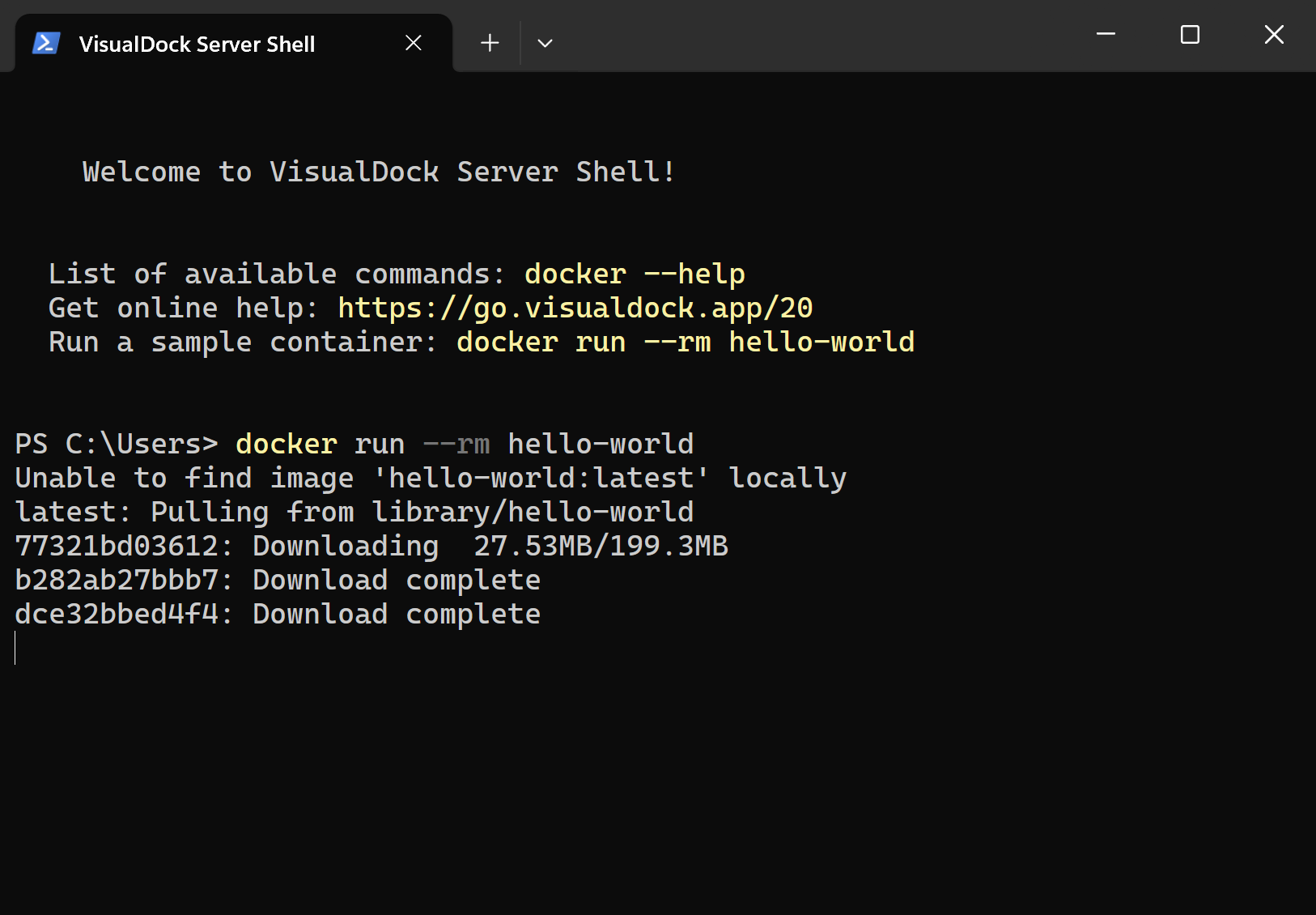
-
You should see the following output produced by the container:
Hello from Docker!
This message shows that your installation appears to be working correctly.

To generate this message, Docker took the following steps:
 1. The Docker client contacted the Docker daemon.
 2. The Docker daemon pulled the "hello-world" image from the Docker Hub.
    (windows-amd64, nanoserver-ltsc2025)
 3. The Docker daemon created a new container from that image which runs the
    executable that produces the output you are currently reading.
 4. The Docker daemon streamed that output to the Docker client, which sent it
    to your terminal.

To try something more ambitious, you can run a Windows Server container with:
 PS C:\> docker run -it mcr.microsoft.com/windows/servercore:ltsc2025 powershell
…